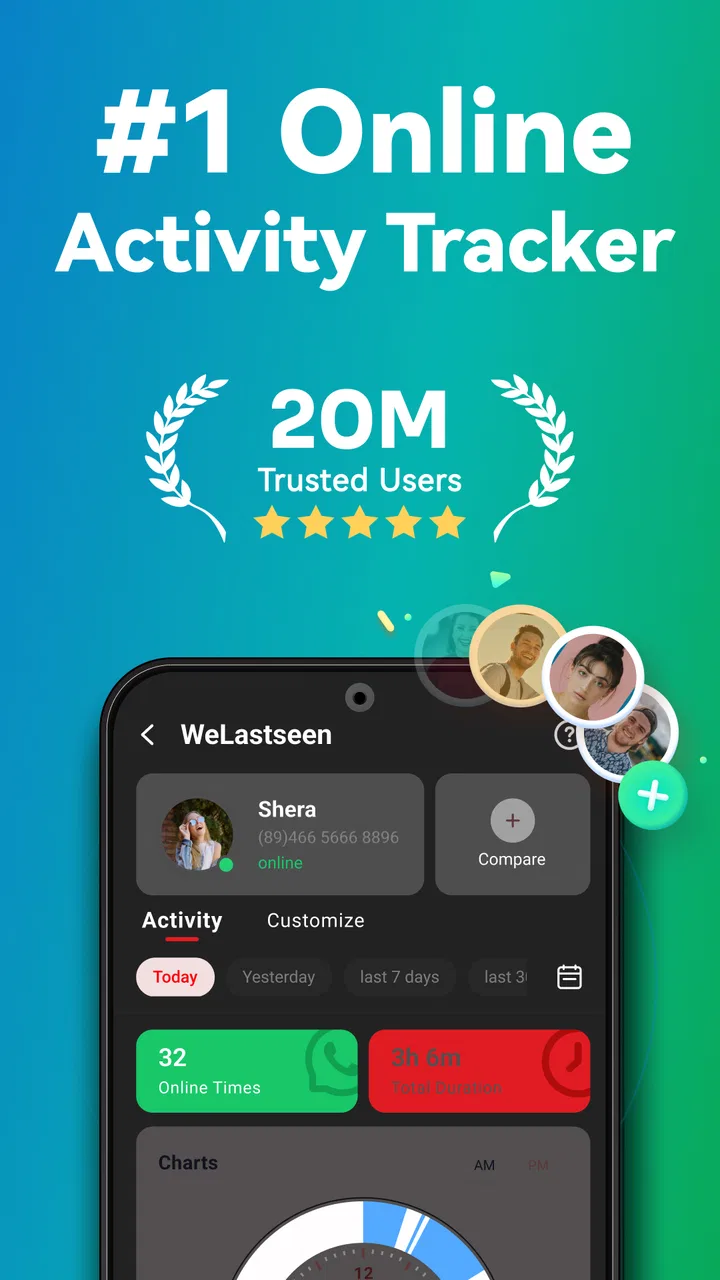
WeLastseen: Chat App tracker
- 3.2
- Rating
- 10.00M
- Installs
- Free
- Price

 Analysis by App-foxy
I approached WeLastseen as a practical tool rather than a social app. Its purpose is straightforward: help you follow the online and offline activity shown by supported chat services, receive real-time notifications, and check a contact’s visible status without repeatedly opening the chat app yourself. That can be useful, but it also means the quality of the experience depends heavily on notification behavior, platform limits, and how carefully you configure it.
After spending time with it, I see the app as something best suited to a narrow, repeatable routine. It is not a replacement for messaging, and it does not make someone more available than they choose to be. Instead, it gives you a separate place to watch status changes. Used sensibly, that can remove a little daily friction. Used obsessively, it can turn a simple tool into a source of unnecessary checking.
How the basic tracking workflow feels in everyday use
The initial idea is easy to understand. You select a contact or account that you want to follow, allow the app to monitor the relevant visible activity, and then rely on notifications or the status screen instead of opening the original chat service over and over. The most useful part is the separation: your messaging app remains for conversations, while WeLastseen focuses on activity changes.
You May Also Like

 Blood Strike: 2.5 Anniversary
Blood Strike’s Loadouts Turn Every Drop Into a Tactical Gamble
A close look at Blood Strike’s custom loadouts: how fast access to signature weapons reshapes its battle royale rhythm, rewards preparation, and narrows the gap between fights.

 Pandora - Music & Podcasts
Pandora’s Music Is Easy to Start, but Harder to Recover
Pandora’s strength is its low-effort path from a seed to a station. Its weak spot is how much confidence it asks you to place in connection, setup, and quiet recovery.

 8 Ball Pool
 Is Built on Rivalries, Rematches, and Routine
A close look at the rivalries, rematches, shared routines, and unanswered safety questions that turn a quick pool match into a persistent mobile community.

 Samsung Music
’s Quiet Strength Is Playing What You Already Own
Its reach comes less from spectacle than from dependable access to a personal library. That simplicity is both the app’s strongest retention engine and its ceiling.

 AccuWeather: Weather Radar
AccuWeather Review: A Quick, Clear Forecast for Everyday Decisions
For everyday plans, the best forecast is the one you can understand quickly. AccuWeather makes rain timing, radar, and local conditions easy to act on, with a few trade-offs.

 Hill Climb Racing
Why Hill Climb Racing Still Turns Crashes Into One More Run
A tiny car, a bumpy hill and one more upgrade: Hill Climb Racing keeps resurfacing because its simple chaos makes every near-miss feel personal.
More From Our News Desk



A realistic example would be waiting for a family member to confirm that they have arrived somewhere. Rather than reopening a conversation every few minutes, I could add that person to the tracking view, keep notifications enabled, and check the resulting activity when needed. That does not guarantee a reply, of course. Someone can be online without reading a message, or appear offline while still being unavailable for reasons unrelated to the app. The tool is helpful for timing, not for interpreting intentions.
The same workflow can help with a work-related conversation when a response is time-sensitive. I might use the status information as a prompt to send a follow-up at a reasonable moment instead of sending several messages in a row. That is a subtle but important distinction: the app can improve my own timing, while it cannot create a conversation or confirm what another person is thinking.
WeLastseen is free to install and is aimed at everyone, which makes the first step accessible. It comes from GIYASTAR and belongs to the tools category, not to the messaging category. That distinction matters because anyone expecting a full inbox, replies, media sharing, or contact management will be looking in the wrong place.
The app’s store summary focuses on chat tracking, real-time online and offline alerts, and status checking. In practice, I would treat those as separate functions with different value. A notification is convenient when I am waiting for a particular change. A manual status check is better when I only need occasional information. Keeping both habits separate prevents the phone from becoming noisy.
Choosing contacts without creating notification overload
My first recommendation is to begin with a very small tracking list. Adding every visible contact sounds convenient, but it makes the alerts harder to understand and can quickly turn useful information into background noise. I would start with one or two people connected to a real need, such as coordinating a pickup or watching for a response during a narrow time window.
There is also a privacy and relationship consideration. Status tracking can feel intrusive if it becomes a way to monitor someone continuously. Even when the information is visible through a chat service, a separate tracker changes how often you notice it. I would use the app only for contacts where the purpose is clear and respectful, and I would avoid treating an online indicator as proof that a person should answer immediately.
Another practical habit is to stop tracking a contact after the reason has passed. If I am waiting for a delivery update, the tracking need ends when the delivery is arranged. Leaving temporary contacts active creates clutter and makes future notifications less meaningful. This simple cleanup routine is more valuable than building a large permanent list.
Settings that deserve attention before regular use
The most important settings are the ones that control how alerts reach you. I would check notification permissions at the system level first, then review the app’s own notification choices. If alerts are blocked, delayed by battery management, or silenced by a device’s focus mode, the app may appear unreliable even though the real issue is the phone’s background behavior.
On Android, I would also look at battery optimization for the app. Different phone manufacturers handle background activity differently, so an aggressive power-saving mode can interfere with timely updates. I would not disable every battery safeguard automatically. Instead, I would make a deliberate choice based on how important the alerts are. If the app is only for occasional checking, preserving battery is probably the better trade-off.
Notification sound and vibration deserve their own decision. A status change is rarely important enough to interrupt every meeting, meal, or night of sleep. A quiet notification, a limited schedule, or temporary system muting can keep the feature useful without allowing it to dominate the day. I prefer using alerts as a gentle reminder rather than an emergency signal.
It is worth checking whether the original chat service has changed its visibility behavior. Online indicators are controlled by the source platform, and a tracker cannot reliably display information that the service does not expose. Account privacy choices, connection problems, app restrictions, and delayed synchronization can all affect what appears. When a status looks inconsistent, I would compare it with the original chat app before assuming WeLastseen is at fault.
The app supports Android 6.0 and later, so compatibility is broad enough for many older devices as well as newer phones. Still, operating-system support is only one part of the experience. A phone with strict background limits may behave differently from another device running the same Android release. That is why a short test period is sensible before relying on alerts for something genuinely time-sensitive.
Building a calmer routine around status checks
Experienced use is less about watching constantly and more about deciding when watching is worthwhile. I would create a simple rule: use real-time alerts during a defined situation, then turn them off or remove the contact afterward. For ordinary conversations, manual checks are usually enough. This keeps the app in a supporting role instead of making it the center of my communication habits.
A useful pattern is to check the app at natural transition points. For example, I might look before leaving home, before starting a meeting, or after finishing another task. That is more efficient than reacting to every notification. If the person is online, I can decide whether a message is appropriate; if not, I can continue with my plans instead of waiting beside the phone.
Another good habit is to treat offline alerts carefully. An offline event may simply reflect a normal connection change, not a completed conversation or a deliberate decision to stop responding. I would use it to understand availability in a broad sense, never as evidence for a personal conclusion.
Shortcuts can also mean simple phone habits rather than special app features. Keeping the tracker accessible, using a notification category that is easy to mute, and reviewing the list at the end of a busy week can make the workflow faster. I would not assume that every device offers the same shortcut options, so I would rely on the phone’s standard notification controls rather than searching for an undocumented feature.
For people who coordinate several family members or a small team, grouping the purpose mentally is helpful even if the app does not provide formal groups. I might think of one set as “today’s logistics” and another as “occasional checks,” while only actively tracking the first set. This prevents a long contact list from becoming a permanent surveillance dashboard.
Where the app is genuinely useful
Its strongest use case is a short period when availability matters more than conversation content. Coordinating a meeting point, waiting for a person to come online before sending a time-sensitive message, or checking whether a contact is likely to see an update soon are reasonable examples. The value comes from reducing repetitive opening and closing of the original chat service.
It can also suit users who prefer a dedicated tool screen. Some people do not want their main messaging app filled with repeated checks, and a separate tracker gives those checks a clearer boundary. I appreciate that separation because it encourages me to look for one specific piece of information rather than wandering through conversations.
The app has attracted more than 10 million installs, while its average rating is 3.2 from roughly 35 thousand ratings. I read that combination as a sign of broad interest but mixed satisfaction. The concept is easy to understand, yet results can vary with the source chat platform, phone settings, network conditions, and personal expectations. I would not install it assuming that every alert will arrive instantly or that every status will always be complete.
WeLastseen is also a reasonable option for someone who wants a focused status checker instead of a large communication suite. The trade-off is that a specialized tracker has less value when your real need is messaging, reminders, calendar coordination, or shared task management. In those situations, the usual alternatives may be better: use the original chat app for direct communication, a calendar for appointments, or a shared planning tool for group logistics.
Limits that should shape your expectations
The biggest limitation is interpretive, not technical. Online and offline indicators are simple signals. They do not tell me whether a person has read my message, has time to reply, or wants to continue a conversation. If I need certainty, I still have to ask directly. A tracker can show a change in visible activity, but it cannot supply context.
Real-time wording should also be approached carefully. Notifications can be affected by network delays, system restrictions, the source service, or changes in account visibility. I would use the alerts for convenience, not for safety-critical coordination. If someone is expected at a location, a call or direct confirmation remains more dependable than a status indicator.
There is a further emotional limit. Constantly checking another person’s presence can encourage anxious habits. If I notice myself opening the app without a clear reason, I would remove the contact or disable notifications for a while. That is not a failure of the app; it is a sign that the workflow no longer serves me.
The free model makes trying it easy, but in-app purchases range from $4.99 to $29.99 per item. I would examine any purchase screen carefully and decide whether the additional value matches my actual routine. Someone who only needs occasional manual checks may have no reason to spend money, while a frequent user may consider extra options worthwhile only after confirming that the basic tracking behavior works reliably on their phone.
The current version is 2.2.40.365, and I would keep the app updated through the normal store process. Updates can matter for compatibility with Android and with the chat services being observed. At the same time, an update cannot remove the fundamental limits imposed by those services. A newer app version may improve operation, but it cannot guarantee access to information that is no longer publicly visible.
How it compares with ordinary alternatives
The original messaging app remains the best alternative when the goal is to communicate. It provides the actual conversation, message history, and the clearest context for what is happening. WeLastseen is more convenient only when I want to observe status changes without repeatedly entering that conversation.
Manual checking is the simplest alternative and may be enough for most people. It costs no extra setup time and avoids another notification stream. The downside is repetition: if I need to check frequently during a short coordination task, a dedicated tracker can make that process less tedious.
Calls and direct messages are better when timing really matters. They ask for a clear response rather than encouraging me to infer meaning from an indicator. For family logistics, I would use WeLastseen as a secondary clue at most, then confirm important arrangements directly.
Finally, shared calendars and task apps are stronger for planned events. They record what people agreed to do instead of merely showing whether someone is online. If the problem is missed appointments or unclear responsibilities, a status tracker addresses the wrong problem. Its value is limited to availability awareness.
Who should install it, and who should skip it
I would recommend trying WeLastseen to someone who repeatedly needs to notice visible online or offline changes and finds manual checking annoying. It is especially suitable for short coordination windows, users who like separating monitoring from messaging, and people willing to adjust Android notification and battery settings thoughtfully.
I would skip it if I need guaranteed delivery, confirmed read receipts, emergency contact, or a complete communication workspace. I would also avoid it if status checking tends to increase worry or encourage me to monitor people more than I communicate with them. In that case, direct conversation and clearer boundaries are healthier and more reliable.
Before settling into regular use, I would run a small practical test: track one relevant contact, observe whether notifications arrive as expected, check the result against the original service, and then decide whether the information actually changes what I do. If it only leads to more checking without better decisions, uninstalling it is the sensible outcome.
My final view after using it as a focused tool
WeLastseen does one recognizable job and can make that job more convenient. I like the idea of moving status observation away from the main chat app, particularly when I am coordinating something temporary and do not want to reopen a conversation repeatedly. The best experience comes from a small tracking list, carefully controlled notifications, and a clear end point for each monitoring session.
Its weaknesses are equally clear. Status information is not the same as communication, real-time alerts are not guaranteed in every phone or network situation, and the app cannot overcome privacy choices or limitations imposed by the source service. The mixed average rating of 3.2 reflects why expectations matter more here than enthusiasm.
My recommendation is cautious but positive: try the free version if you have a specific, everyday reason to follow chat availability. Configure it deliberately, test it on your own device, and keep the tracking temporary where possible. Its real strength is reducing repetitive checks, not replacing a direct conversation. For that narrow purpose, it can earn a place among my tools; for anything requiring certainty or richer coordination, I would choose the original chat app, a call, or a planning tool instead.
FAQs for WeLastseen: Chat App tracker
01What is WeLastseen: Chat App tracker used for?
WeLastseen: Chat App tracker is designed to help users monitor online and last-seen activity associated with supported chat applications. It presents activity information in a separate interface, making it easier to review patterns and receive notifications. Before downloading, check the current app description carefully, because supported services, tracking options, and available features may change between versions or regions.
02Does WeLastseen: Chat App tracker show private messages or account content?
The app is generally intended to display availability or online-status information rather than provide access to private conversations, passwords, photos, or account data. It should not be treated as a tool for reading messages or bypassing another person’s privacy settings. Its usefulness depends on what information the connected chat service makes publicly visible and whether the relevant account is online.
03Is WeLastseen: Chat App tracker free to download and use?
The application may be available as a free download, but some functions can be limited by advertisements, usage restrictions, subscriptions, or in-app purchases. Features such as detailed history, multiple profiles, extended notifications, or unlimited monitoring may require payment. Review the pricing information shown in the Google Play Store or Apple App Store before confirming a purchase.
04Does WeLastseen: Chat App tracker work on Android and iPhone?
Compatibility depends on the version published for each platform. Android and iOS editions may not offer exactly the same tools, notification behavior, or subscription options. Before installing, verify the listed operating-system requirements, supported device versions, and recent update date in the official store. An internet connection and permission to send notifications may also be necessary for reliable operation.
05Is it safe and appropriate to use WeLastseen: Chat App tracker?
Use the app responsibly and only monitor activity when you have a legitimate reason and respect the other person’s consent and privacy. Avoid entering passwords or sensitive account details unless the official store listing clearly explains why they are required. Check the developer name, privacy policy, requested permissions, and user reviews, and remember that status information can sometimes be delayed or inaccurate.
Pros
- Simple interface makes contact activity easy to check.
- Supports monitoring several contacts from one account.
- Activity updates are presented in a clear timeline.
- Useful alerts can reduce the need for repeated manual checks.
- Works without requiring users to keep the app open constantly.
Cons
- Privacy concerns may arise when monitoring another person’s activity.
- Tracking accuracy can vary with network or platform restrictions.
- Some features may require a paid subscription.
- Frequent alerts can become distracting or overwhelming.
- The app may use noticeable battery and background data.

WeLastseen: Chat App tracker
Gallery